


HISPEEDIDO
Touch Version Laminated AMOLED OLED Screen Drop in Build in OSD RETRO PIXEL Screen Easy Install For GBC GameBoy Color
Touch Version Laminated AMOLED OLED Screen Drop in Build in OSD RETRO PIXEL Screen Easy Install For GBC GameBoy Color
Couldn't load pickup availability
Product Feature:
Note: There is LOGO on the glass screen lens.
Note: Not include the game console motherboard.
******Please Note: Trimming the original casing is very difficult to fit this screen, so we strongly recommend purchasing our custom shell !****
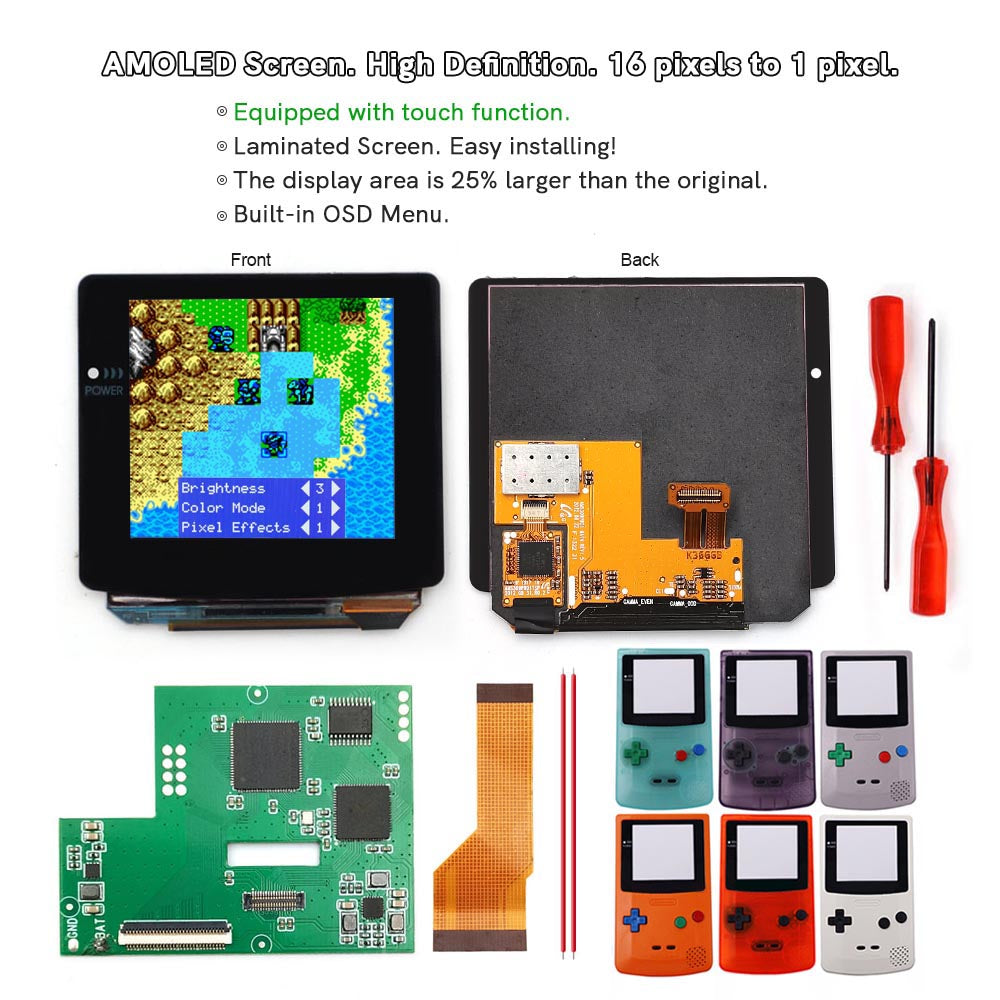
1. AMOLED Screen. High Definition LCD. 16 pixels to 1 pixel. Integer scaling. No any distortions.
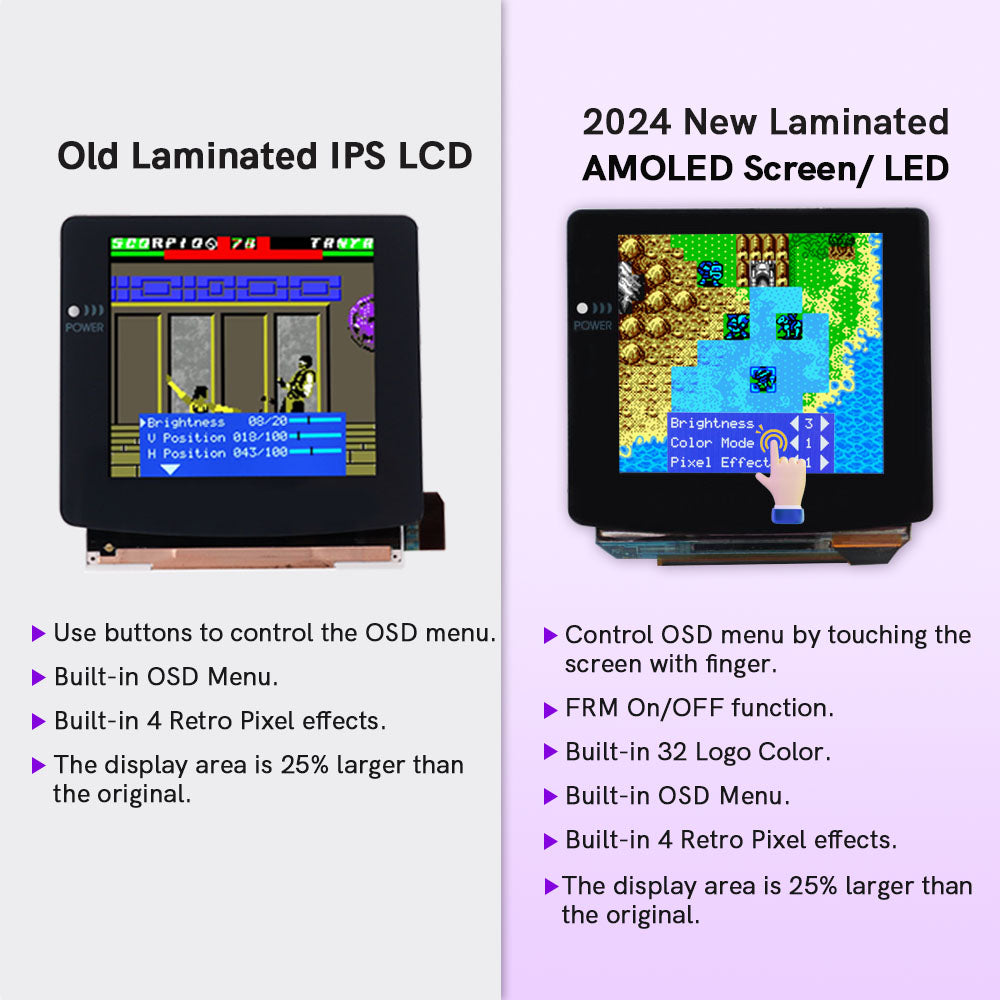
2. Equipped with touch function.
3. Laminated LCD. Easy installing!
4. The display area is 25% larger than the original.
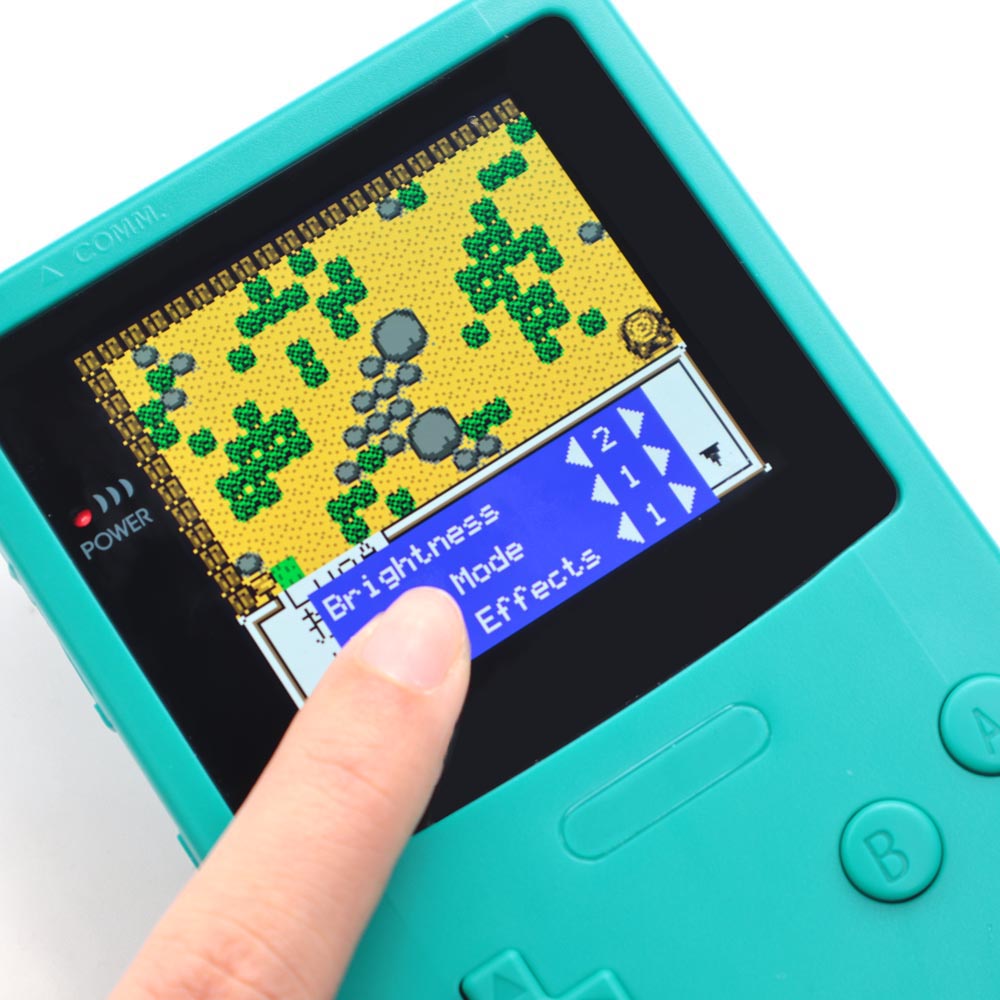
5. Built-in OSD Menu
6. Built-in 4 Retro Pixel effects.
7. Built-in 32 Logo Color.
8. FRM On/OFF function (Frame blending On/OFF) is included. For some extremly few games, the image effect will be better when FRM turned on. For most games, No need to turn on FRM Function. The default FRM is OFF.
9. 10 brightness levels.
10. 8 color modes.
11. Image position adjustable.
12.Only one wire needs to be soldered to supply power.
Note: There is LOGO on the glass screen lens.
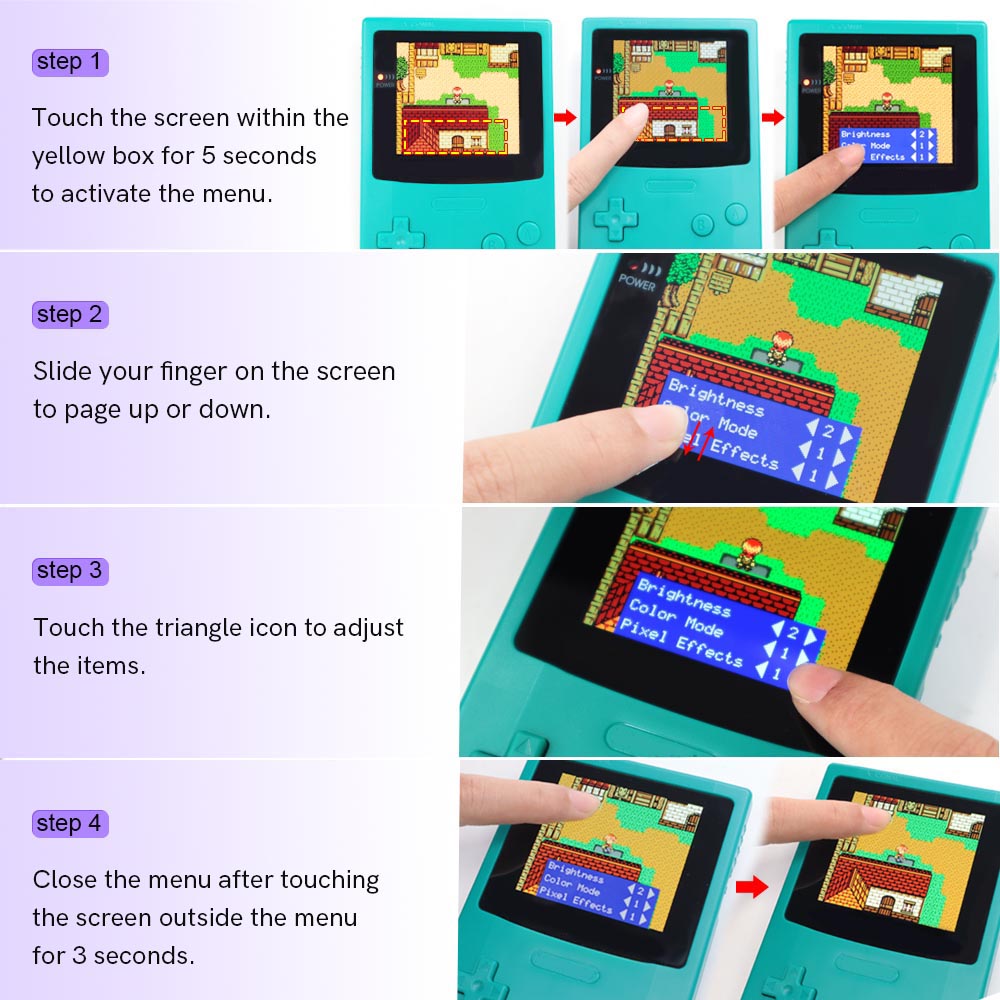
Touch the screen for 5 seconds to activate the OSD menu.
Slide your finger on the screen to page up or down.
Touch the triangle icon to adjust the items.
******Please Note: Trimming the original casing is very difficult to fit this screen, so we strongly recommend purchasing our custom shell !*****
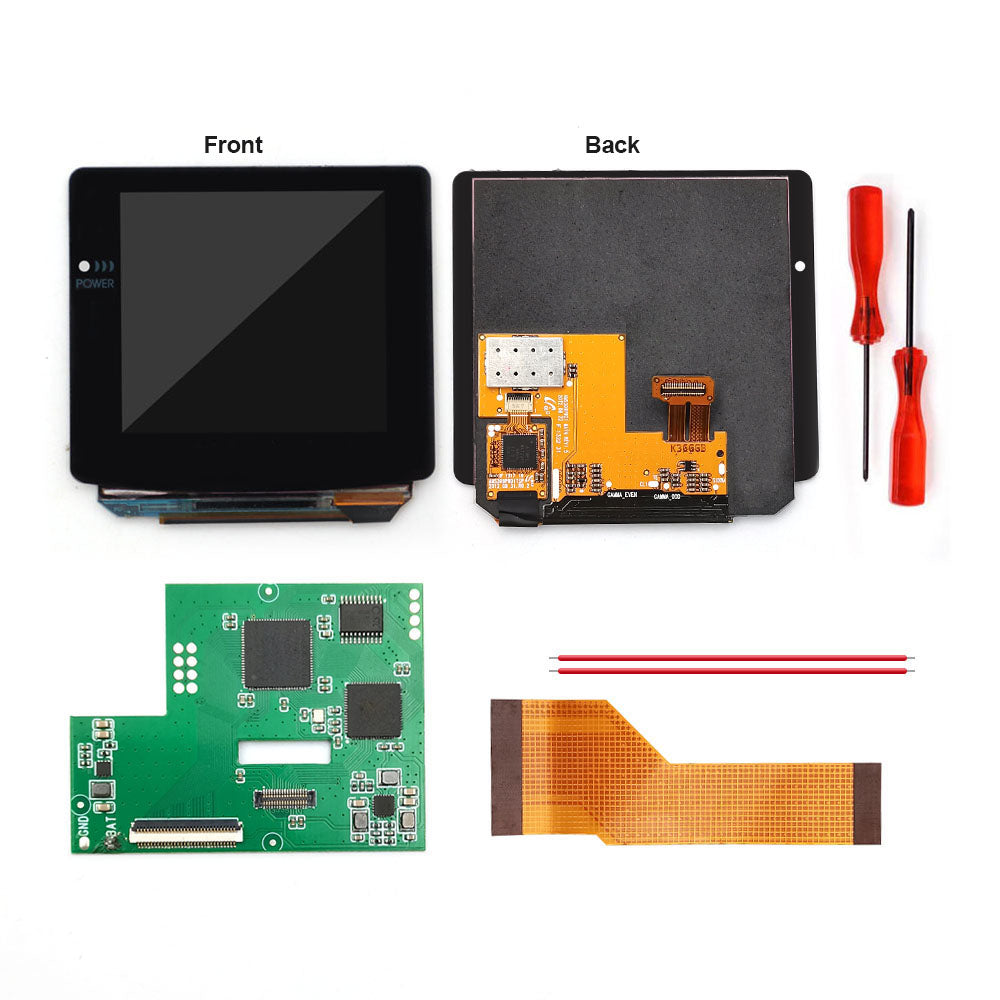
Package Include:
Share


The case it comes with is definitely thinner walled than the original game boy. This makes the whole thing lighter, but I personally don't like that. The real game boy feels like a tank compared to this and it hasn't broken, but I feel like it would break if I dropped it. The soldering is really small, if you don't have needle nose to hold stuff and good eyes or a magnifying glass, the soldering for screen power is really tiny. The display looks great (it's kind of overwhelming going from GBC to this) and it doesn't get as dim as I would like. Mine also wouldn't read the game cart the first time so the "cover up the pins for insulation" steps are really important to prevent internal shorts. DO NOT TRY TO MOD YOUR OWN SHELL unless you are very brave and confident.
Overall, I’m very happy with this screen. The image quality is excellent, bright, vibrant, and sharp, making the games look better than ever. It really gives the Game Boy Color a new life.
However, the shell doesn’t fit quite as perfectly as the original one. It’s not a huge issue, but you can tell the alignment isn’t 100% precise. Also, after installing the screen, I noticed a very faint high-pitched buzzing sound coming from the speaker. It’s not too loud, but it’s definitely noticeable in quiet moments.
In summary, a fantastic upgrade in terms of display quality, but with some minor fitting and audio issues to keep in mind.
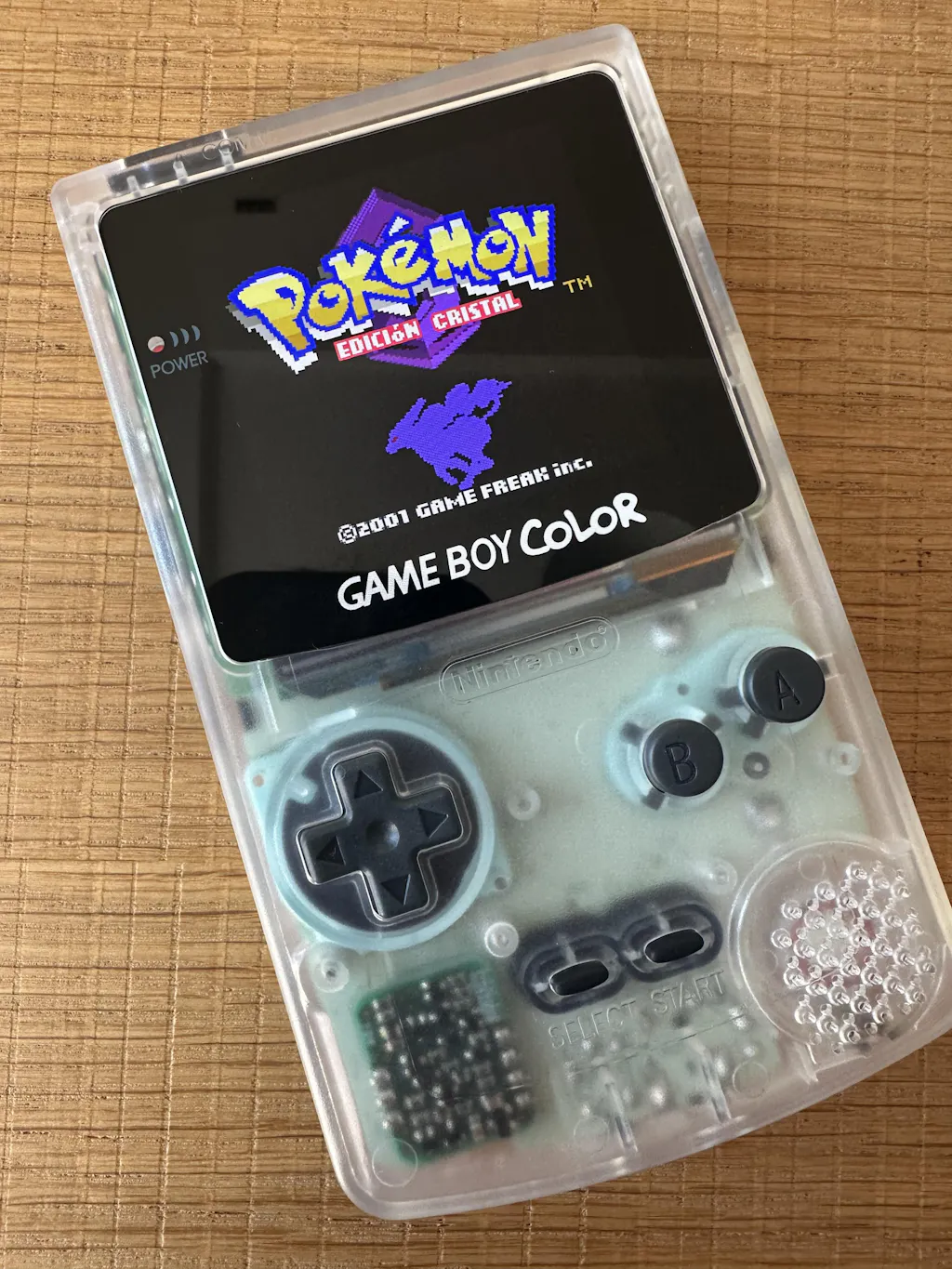
This was one of tthe easiest Mods I have ever done and the resualts look fantastic. I would recomend this upgrade to anyone with a stock Game Boy Color who wants to play with a great screen with vivid colors.